If you’ve spent any time researching website platforms, you’ve probably hit the same wall everyone hits: too many opinions, too much jargon, and zero clarity on what actually matters for your business.
So here’s a straight answer before we even get into it WordPress wins for most businesses. Not because it’s trendy. Because it works, it scales, and it doesn’t hold your business hostage the moment you outgrow a plan.
Now let’s get into why and when the other two options actually make sense.
What Are We Actually Comparing?
Before anyone picks a platform, it’s worth being clear on what these three things even are.
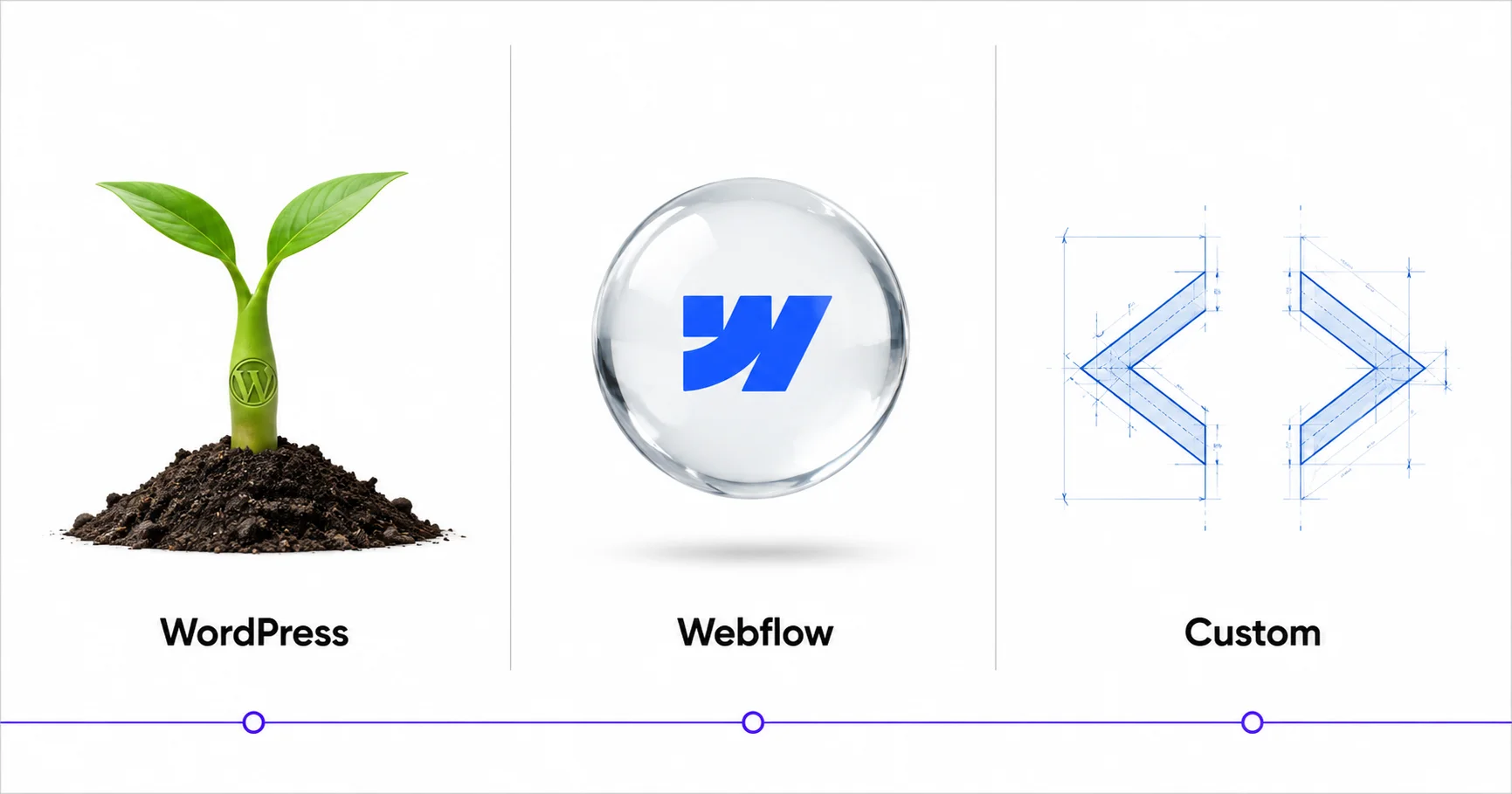
WordPress is an open-source content management system. You own the code, you own the data, and you can do pretty much anything with it. It runs on hosting you control. It’s not the same as WordPress.com (the hosted version) for business use, you want WordPress.org, self-hosted.
Webflow is a visual website builder with a CMS layer built in. You design in a browser-based editor, and Webflow hosts your site on their servers. It’s genuinely impressive to design in but you’re renting space on their infrastructure, not owning anything.
Custom development means hiring developers to build a site from scratch no CMS template, no builder. Just code. This is what large-scale web apps, complex platforms, or enterprise systems are built on.
These are fundamentally different products. Comparing them is a bit like comparing renting a furnished apartment, renting an empty apartment, and building your own house. The “best” answer depends entirely on what stage you’re at and where you’re going.

WordPress: The Platform That Actually Grows With You
WordPress has a reputation problem. People either swear by it or treat it like it’s somehow outdated. Neither reaction is quite right.
Here’s what WordPress actually is: the most battle-tested, flexible, and ecosystem-rich website platform ever built. It powers 43% of every website on the internet. That number isn’t a fluke. It’s the result of two decades of real-world use, developer investment, and commercial adoption.
What WordPress gets right
You own everything. Your content, your code, your database. If your hosting provider goes down or raises prices, you pack up and move. No platform lock-in. No export restrictions. This matters more than most people realize until they’re stuck.
The plugin ecosystem is unmatched. Over 59,000 plugins in the official directory alone. WooCommerce for e-commerce. WPForms for lead capture. RankMath for SEO. Gravity Forms, Elementor, ACF, Yoast there’s a tool for nearly every requirement. Most of them have free tiers that are genuinely functional, not artificially limited.
SEO control is total. You can modify meta tags, control canonicals, set up schema markup, configure redirects, manage sitemaps all without waiting for a platform update. RankMath and Yoast both integrate cleanly with Google Search Console. If ranking on Google matters to your business (and it should), WordPress gives you more levers than anything else.
Content management is intuitive. The Gutenberg block editor has improved dramatically. If you’re using Elementor, the visual editing experience is comparable to Webflow without the monthly platform fee on top of your hosting bill.
The developer pool is massive. WordPress developers are everywhere. If you ever need custom functionality, a plugin fix, or a full rebuild, finding someone is never the bottleneck. Try finding a Webflow expert in a pinch it’s a smaller talent pool with higher rates.
WordPress costs, honestly
Self-hosted WordPress isn’t free, but it’s close. You’ll pay for hosting (anywhere from $10/month on shared hosting to $50–$100/month for managed WordPress hosting like WP Engine or Kinsta), a premium theme or page builder if you want one (Elementor Pro is around $60/year), and any premium plugins you need.
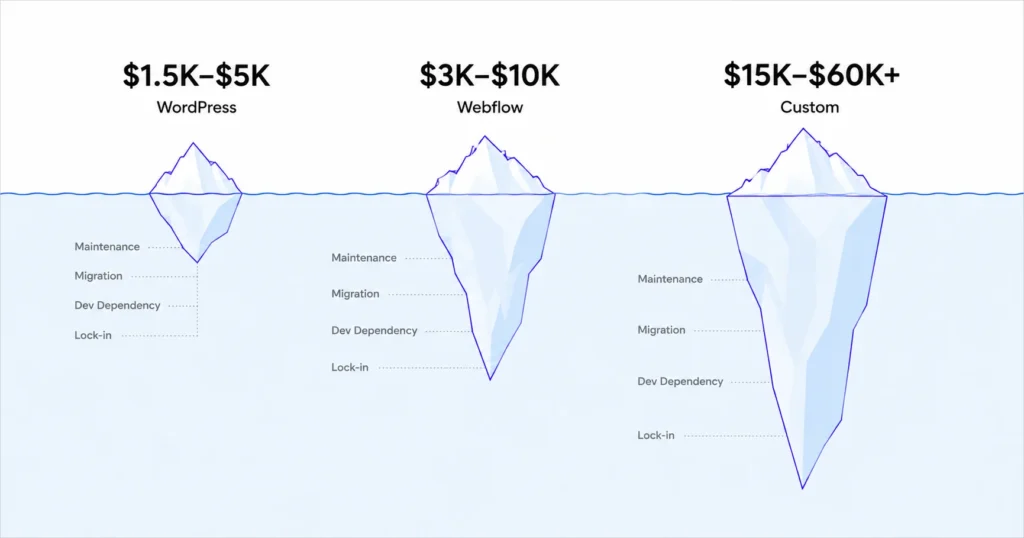
For most small businesses, a fully built-out WordPress site costs $1,500–$5,000 if designed professionally — and then a few hundred dollars a year to maintain. That’s it.
Webflow: Great Tool. Wrong Solution for Most Businesses.
Let’s be fair here Webflow is genuinely impressive. The design capabilities are real. For designers and agencies building client sites with complex animations, precise visual control, and tight creative specifications, it’s a strong choice.
But for most business owners and growing SMBs, it has some problems that compound over time.
Where Webflow falls short
You’re on their infrastructure. Webflow hosts your site on their servers. If their pricing changes (it already has, multiple times), you absorb that cost. If their platform goes down, your site goes down. You’re renting, not owning.
The CMS is limited. Webflow’s CMS is functional, but it gets complicated fast when your content needs grow. Building a robust blog with categories, authors, schema markup, and advanced filtering takes significantly more effort than it does in WordPress. Some things require workarounds that feel more like hacks.
Pricing adds up. A Webflow Business plan runs $39/month. Add a CMS plan if you need it, and you’re looking at $50–$80/month — just for the platform. That’s before any design or development costs.
Exporting is painful. If you ever want to leave Webflow, you can export your HTML/CSS, but your CMS content, dynamic pages, and custom interactions don’t come cleanly. Migrating off Webflow is a project, not a copy-paste.
The plugin ecosystem doesn’t exist. Webflow relies on native features and third-party integrations via Zapier or Make. If you need something specific a membership area, a booking system, a complex form with conditional logic you’re either coding it yourself or paying for external tools.
When Webflow actually makes sense
If you’re an agency building client sites and design is your primary value proposition, Webflow is a legitimate production tool. If you’re building a marketing landing page that needs precise animation and you have a designer on staff sure. For portfolio sites or small informational pages with no CMS needs, it’s clean and fast.
For a growing business that needs a blog, lead capture, integrations, an e-commerce layer, or serious SEO infrastructure? WordPress handles all of that better.
Custom Development: Powerful, Expensive, Rarely Necessary
Custom development has its place. If you’re building a marketplace, a SaaS product, a web app with complex user authentication, or something that has no existing CMS solution, you need a custom build. There’s no plugin for “build me a platform like Airbnb.”
But for business websites? It’s almost always overkill.
The real cost of custom
Custom development isn’t cheap. A serious custom website from a quality development team starts around $15,000–$25,000 and goes up from there. Enterprise builds run six figures. Then you need ongoing maintenance, updates, and bug fixes none of which are covered by what you already paid.
Timelines are long. Six to twelve weeks minimum for a solid custom site. Scope creep is nearly universal. Costs balloon. And when it’s done, you’re dependent on whoever built it for any changes.
The other problem nobody talks about
When the developer who built your custom site moves on, gets busy, or raises their rates, you have a problem. You own the code, but if it’s not well-documented and often it isn’t the next developer charges a premium just to understand what they’re looking at.
WordPress codebases are standardized. Any experienced WordPress developer can pick up where the last one left off.
When custom makes sense
You need a web application, not a website. Your business has unique technical requirements that no existing platform can handle. You have the budget, the timeline, and an in-house technical team for maintenance.
If that’s not you, custom development is probably adding cost and complexity without adding proportional value.
The SEO Comparison: Where WordPress Leads
For any business that cares about organic search and you should platform choice has real SEO consequences.
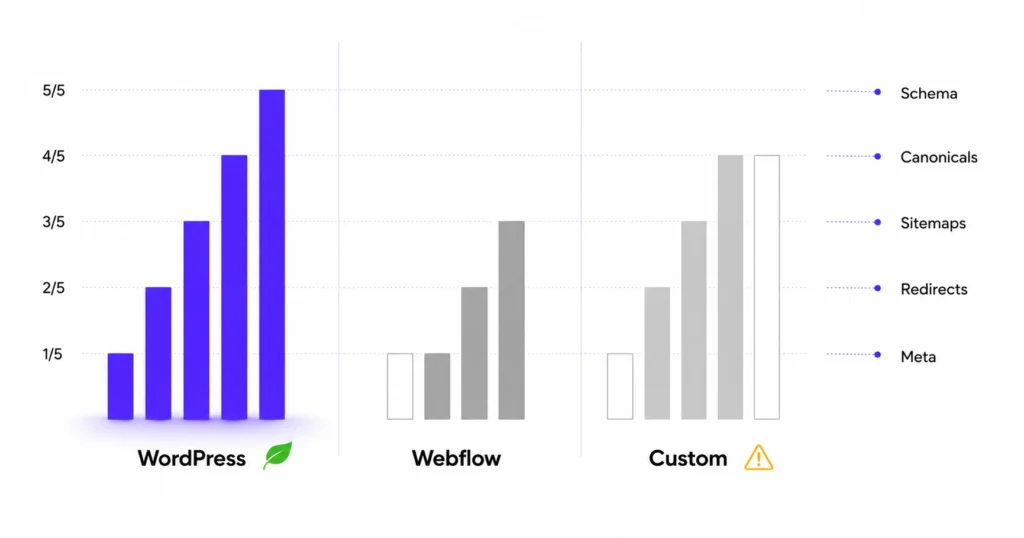
WordPress gives you full control over every technical SEO element. Title tags, meta descriptions, canonicals, schema markup, XML sitemaps, robots.txt, page speed optimization, redirect management, structured data all controllable, all extensible. Combined with a plugin like RankMath, you get real-time SEO feedback as you write.
Webflow has solid built-in SEO settings and clean semantic HTML by default a genuine strength. But you hit limits with custom schema implementation, complex redirect management, and advanced technical configurations. It’s good for straightforward SEO needs, not granular control.
Custom builds can be optimized for SEO perfectly but only if your developers know what they’re doing and if you invest the time to do it. Many custom sites are technically impressive and SEO disasters simultaneously. It requires deliberate effort.
For a growing business building organic traffic over time, WordPress with RankMath is the most practical, controllable, and cost-effective SEO setup available.
Head-to-Head: The Honest Comparison
WordPress | Webflow | Custom | |
Ownership | Full | Rented | Full |
SEO Control | Complete | Good | Complete (if built right) |
Design Flexibility | High (with Elementor) | Very High | Unlimited |
Setup Cost | $1,500–$5,000 | $3,000–$10,000 | $15,000–$60,000+ |
Ongoing Cost | $10–$100/month | $50–$80/month + dev | Dev fees ongoing |
Plugin Ecosystem | 59,000+ plugins | Limited | None (build everything) |
Developer Availability | Massive pool | Smaller pool | Depends on stack |
Scalability | Excellent | Moderate | Excellent |
Content Management | Excellent | Good | Depends on build |
Best For | Most businesses | Design-focused agencies | Web apps, unique platforms |
So, Which Platform Should Your Business Use?
Here’s the honest answer for most business owners reading this:
Use WordPress.
Not because it’s perfect. Because it does everything you actually need, it doesn’t lock you in, it scales as you grow, it has the largest support ecosystem on the planet, and the SEO tooling is unmatched for the price.
Webflow is a tool for people who design websites professionally. Custom development is for businesses building products, not pages.
If you’re running a service business, a consultancy, an e-commerce store, a coaching practice, or any kind of growth-stage company WordPress gives you the control, the flexibility, and the foundation to build something that compounds over time.
FAQ
Is WordPress harder to use than Webflow?
With a visual page builder like Elementor, WordPress is just as easy to use day-to-day as Webflow. The setup requires slightly more configuration upfront, but a professional setup handles that for you. After that, managing content and pages is intuitive.
Is Webflow better for SEO?
Webflow has clean HTML and solid built-in SEO settings. But WordPress with RankMath offers more granular control custom schema, advanced redirects, deeper technical optimization and a larger ecosystem of SEO tools. For businesses with serious ranking goals, WordPress has the edge.
Can you move from WordPress to Webflow (or vice versa)?
You can migrate content between platforms, but it’s a project not a flip of a switch. WordPress to Webflow migrations are typically easier than the reverse. If you’re building for the long term, choosing right the first time is cheaper than migrating later.
Is custom development worth it for a small business?
Rarely. The cost and maintenance overhead of custom development rarely makes sense unless you have unique technical requirements that no existing platform can handle. For most SMBs, WordPress covers everything at a fraction of the cost.
How much does a WordPress website cost to build professionally?
A professionally designed WordPress website typically costs $1,500–$5,000 depending on complexity, with $10–$100/month in ongoing hosting and maintenance. That’s the full cost of a properly built, SEO-ready business website.